Resource
Turnitin AI Detection: What Every Student Should Know in 2026
A complete student guide to Turnitin’s AI detection — how it works, what the scores actually mean, what to do if you’re flagged, and how to self-check your writing before submitting through your school portal.
July 29, 2026 · Naturalmelo Team
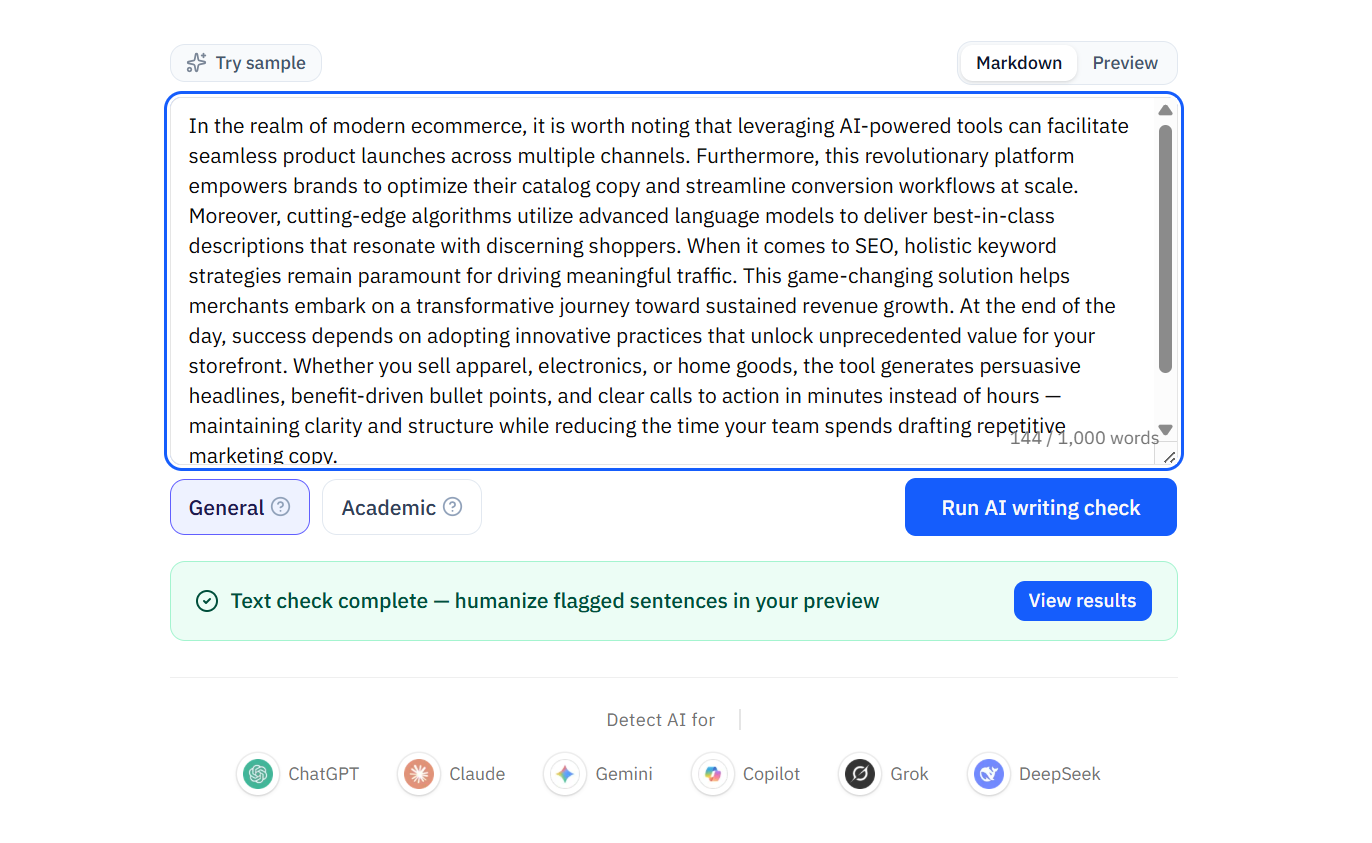
Sentence-level AI writing detection with pattern-based highlighting
What Is Turnitin AI Detection?
Turnitin launched its AI writing detection feature in April 2023, and it has evolved significantly since. As of 2026, Turnitin’s AI detection is a separate component from its plagiarism checker — they run independently and produce different reports. The AI writing indicator appears directly in the Similarity Report that instructors see, but it is not the same thing as the similarity score.
The key thing to understand: Turnitin’s AI detection is not a "cheating detector." It is a pattern-matching system that estimates the probability that text was generated by a large language model. Instructors are trained to treat it as one piece of evidence — not a verdict. Most institutions now have explicit policies stating that AI detection scores alone are insufficient grounds for academic integrity actions.
- AI detection is separate from plagiarism detection — they use different models and produce independent results
- Turnitin’s model was trained on GPT-3.5, GPT-4, and other major LLMs, plus human-written academic text across disciplines
- The detector requires a minimum of 300 words of long-form prose in English to generate a score
- Scores below 20% are suppressed and shown as an asterisk (*) to reduce false positives
- The August 2025 update added bypasser detection — purple highlights for text that was AI-generated then modified by a humanizer or paraphraser
How Turnitin Actually Detects AI Writing
Turnitin’s AI detection model analyzes text at the sentence level, looking for statistical patterns characteristic of large language model output. Unlike rule-based detectors that look for specific phrases (like "In today’s rapidly evolving landscape"), Turnitin’s model evaluates the probability distribution of word sequences — essentially asking: "How likely is it that a language model would generate this exact sequence of words?"
High-probability sequences (words that an LLM would be very likely to produce given the preceding context) contribute to a higher AI score. Low-probability sequences (unusual word choices, unexpected structures) contribute to a lower score. The model then aggregates these per-sentence probabilities into a document-level percentage.
The bypasser detection feature, added in August 2025, works differently. Instead of looking for direct LLM output patterns, it looks for the fingerprint of humanization tools: awkward synonym substitutions, unnatural sentence restructuring, and the characteristic statistical signature of automated rewriting. This means that running AI-generated text through a humanizer no longer guarantees that Turnitin will not flag it — it may simply change the type of flag from cyan (likely AI-generated) to purple (likely AI-generated then humanized).
Important: Turnitin has never publicly disclosed the exact architecture of its AI detection model. Information about how it works comes from Turnitin’s published research, third-party testing, and educator documentation — not from direct model access. The model is periodically updated, and detection capabilities change over time.
What Turnitin’s AI Scores Actually Mean
Turnitin reports AI detection as a percentage, but this number is widely misunderstood. A 65% AI score does not mean "65% of this essay was written by AI." It means the model estimates that roughly 65% of the document’s sentences contain patterns consistent with AI generation — which is a different and less definitive claim.
Here is how to interpret the score ranges:
- 0% (no score displayed): Turnitin did not detect significant AI-generated patterns. This does not guarantee the text is human-written — it means the model did not find enough evidence to assign a score.
- 1–20% (asterisk *): A small number of sentences triggered the model, but below the threshold for confident reporting. Instructors see an asterisk, not a number. Turnitin suppresses this range to reduce false positives.
- 21–50%: A moderate number of sentences show AI-consistent patterns. This range often triggers instructor review of the specific flagged sentences. Many false positives fall in this range, especially for formal academic writing.
- 51–100%: A majority of sentences show AI-consistent patterns. This range is the most likely to trigger an academic integrity inquiry. However, it is still a probability estimate, not proof.
- Purple highlight (bypasser detection): The model detected signs that AI-generated text was subsequently modified by a humanizer or paraphraser. This appears as a separate visual indicator, not a percentage.
Who Sees the AI Score — And Who Doesn’t
This is one of the most misunderstood aspects of Turnitin: students typically cannot see their own AI detection score. The AI writing report is only visible to instructors and administrators within the Turnitin Feedback Studio. When you submit a paper through your school’s LMS (Canvas, Blackboard, Moodle, etc.), the AI score is generated but not shown to you.
This creates an information asymmetry: you do not know whether your submission is flagged until an instructor chooses to discuss it with you. Some institutions have changed their settings to make AI scores visible to students, but this is not the default and varies widely by school. If you cannot see your score, you are operating blind — which is why pre-submission self-checking is so important.
- Default: Only instructors and administrators see the AI writing report
- Some institutions opt to show scores to students — check your school’s policy
- Students cannot log into Turnitin directly to check their work; access is through institutional LMS integration only
- This visibility gap makes pre-submission self-checking essential — you need to know what an instructor might see before they see it
What to Do If You’re Flagged by Turnitin
Being flagged by Turnitin is stressful, but panicking makes things worse. Here is a step-by-step response plan:
Step 1: Stay calm and do not delete anything. Deleting drafts, version history, or AI conversations looks like destruction of evidence. Keep everything — your writing process is your best defense.
Step 2: Ask to see the specific report. You have the right to know what Turnitin flagged and why. Ask your instructor to show you exactly which sentences were highlighted and whether the flag was cyan (likely AI-generated) or purple (likely humanized).
Step 3: Gather your process evidence. Pull up Google Docs version history showing incremental edits over time. Collect your research notes, outlines, and earlier drafts. If you can show the progression from rough outline to final draft, that is stronger than any detector score.
Step 4: Be specific about your AI use, if any. If you used AI for brainstorming or editing, say so. Specific disclosure ("I used ChatGPT to help brainstorm my thesis, then wrote the essay myself") builds credibility. Blanket denial ("I did not use AI at all") — especially if the report shows strong signals — can erode it.
Step 5: Request a conversation rather than a ruling. Ask to discuss your work verbally. If you wrote it, you should be able to explain your argument, sources, and writing choices. The students who get into trouble are usually the ones who cannot explain their own submitted work.
Students who can walk an instructor through their writing process — showing drafts, explaining choices, discussing sources — rarely face serious consequences, even with a high AI detection score. The students who face consequences are those who cannot explain what they submitted.
How to Self-Check Your Writing Before Submitting
Since you cannot see your Turnitin AI score as a student, the most practical strategy is to use an independent AI checker before submission. This is not the same as running your text through Turnitin — no external tool can replicate Turnitin’s exact model — but a good hybrid detector will catch the same AI writing patterns that Turnitin looks for: hollow openings, stacked connectors, uniform sentence rhythm, and templated phrasing.
Naturalmelo’s AI checker is built for exactly this use case. Paste your draft, get sentence-level feedback on which parts might trigger detection, and then either edit manually or use the built-in humanizer to rewrite flagged sections. Re-check after editing. This detect → fix → verify loop gives you visibility into what an instructor might see — before they see it.
Turnitin vs. Other AI Detectors
Turnitin is the dominant institutional AI detector, but it is not the only one. GPTZero (42% institutional adoption), Copyleaks (31%), and Originality.ai (primarily used by publishers and content teams) each approach detection differently. Understanding the differences helps you know what to expect:
- Turnitin: Sentence-level analysis, institutional-only access, cyan/purple dual highlighting, undisclosed model architecture. Integrated into LMS platforms. Most conservative scoring — suppresses results below 20%.
- GPTZero: Perplexity + burstiness analysis at sentence, paragraph, and document levels. Student-facing tool with direct access. More granular feedback than Turnitin (shows which specific sentences contribute to the score).
- Copyleaks: Multi-language support (30+ languages) — unique among major detectors. Uses linguistic pattern analysis rather than pure statistical modeling. Higher false positive rate on English academic text than Turnitin or GPTZero.
- Originality.ai: Designed for content marketers and publishers, not education. Includes plagiarism check + AI detection + fact checking in one platform. More aggressive detection threshold — flags more text as AI than institutional tools.
Quick Tips
Self-check before you submit. Since students cannot see their Turnitin AI score, use an independent AI checker like Naturalmelo to review your draft. Catch flagged sentences before your instructor does.
Keep your writing process visible. Use Google Docs for all academic writing. Version history showing incremental edits, deletions, and restructuring over time is the strongest evidence of authentic work.
Understand your school’s policy. Every institution handles AI detection differently. Some treat scores as conversation starters; others have stricter policies. Know what applies to you before you submit.
If flagged, lead with your process. Do not lead with denial. Lead with evidence: drafts, version history, research notes. Show how you wrote, not just what you wrote.
Frequently Asked Questions
Common questions about Turnitin AI detection for students.
Q: What AI detector does Turnitin use?
Turnitin uses a proprietary, undisclosed AI detection model trained on GPT-3.5, GPT-4, and other major LLMs. The model analyzes sentence-level word probability patterns and was updated in August 2025 to include bypasser detection — specifically designed to catch text modified by AI humanizers and paraphrasers. The exact model architecture has never been publicly disclosed.
Q: Can students use Turnitin’s AI checker on their own work?
Generally, no. Turnitin’s AI detection is only available through institutional licenses — students cannot purchase individual access or upload papers directly to Turnitin for AI checking. Some schools have enabled student visibility of AI scores within their LMS, but this varies by institution. The best alternative is an independent AI checker that catches the same patterns Turnitin looks for.
Q: Does Turnitin detect ChatGPT, Claude, and Gemini?
Yes. Turnitin’s model was trained on output from GPT-3.5, GPT-4, and has been updated to recognize patterns from newer models including Claude and Gemini. However, detection accuracy varies by model — Turnitin reports higher accuracy on GPT-3.5/4 output and lower (but still significant) accuracy on Claude output, which tends to produce more natural-sounding prose out of the box.
Q: How accurate is Turnitin’s AI detection?
Turnitin claims a 1% false positive rate at the document level, but this number is contested. Independent research suggests higher false positive rates — particularly for formal academic writing, non-native English speakers, and text that has been heavily edited with grammar tools. Turnitin addresses this by suppressing scores below 20% (showing an asterisk instead) to reduce the number of borderline cases that instructors see. At higher score ranges (51%+), the false positive rate is lower but not zero.
Self-check your draft before Turnitin sees it
Use Naturalmelo’s free AI checker to see which sentences might trigger detection — then revise and re-check. No login required.
Run AI writing check